Scraping individual Linkedin profiles for information.
Previously, I went through the process of automating your Linkedin login, and scraping potential connections after automating the search from the homepage post sign in.
I will start by creating the Selenium WebDriver instance, calling it ‘driver’.

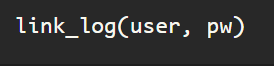
Then I will log into my linked in account using the process detailed in the first blog on web scraping Linkedin.
Next, I will assign the url of a profile, as a string, as variable ‘profile’, followed by the line telling the WebDriver to ‘get’ the url.

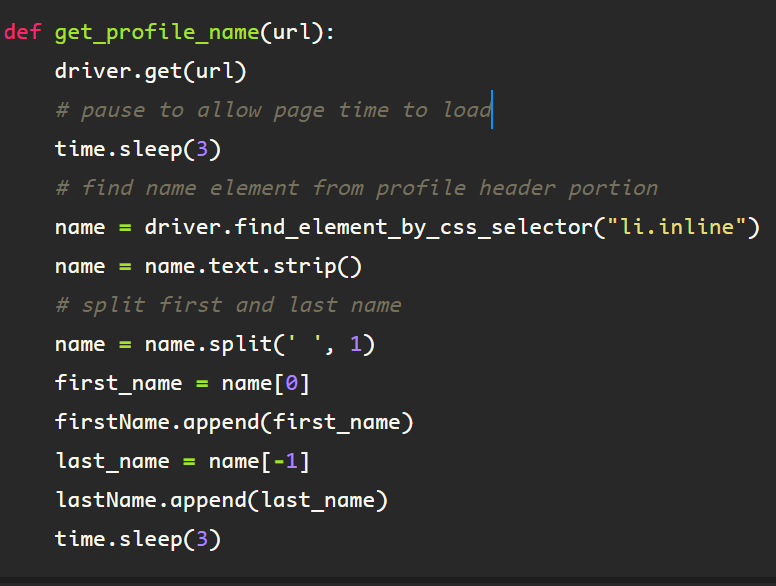
Once the profile page loads, you can see the person’s first and last name below the photo in the profile header. I am going to grab the name of the person to ensure everything matches up should I decide to process in batches later.

Upon inspecting the HTML for the element containing the name, headline, location and connections information, you see it can be found here:

To convey this to the WebDriver, I create an instance called ‘profile_head’, finding it using the css selector using the ‘ul’ tag and the class ‘pv-top-card–list’.

Then to get the name from the element, I simply find the first element under the above tag using the list tag ‘li’, class name, ‘inline’, as the first occurrence contains the innerText attribute containing the name string. I assign the variable ‘name’ to this.

From here, I got the text from the element, and split the string on the remaining center whitespace, which separates the first name from the last name in a list, from which I extract the variables ‘first_name’ and ‘last-name’.

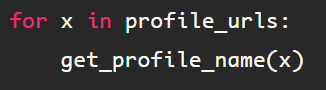
This process can be combined as a function, then you can iterate through a list of Linkedin profile urls, which can be extracted by following the process outlined in my previous blog, Web Scraping #2.
 Data Insights